Automation Guide
With automation, Bluebird can automatically run Siri Shortcuts when its focus timer state changes (focusing or relaxing).
A Simple Example
To make Bluebird turn on “Do Not Disturb” when a focus session starts and turn it off when the session is over:
- Open the Shortcuts app on your iPhone.
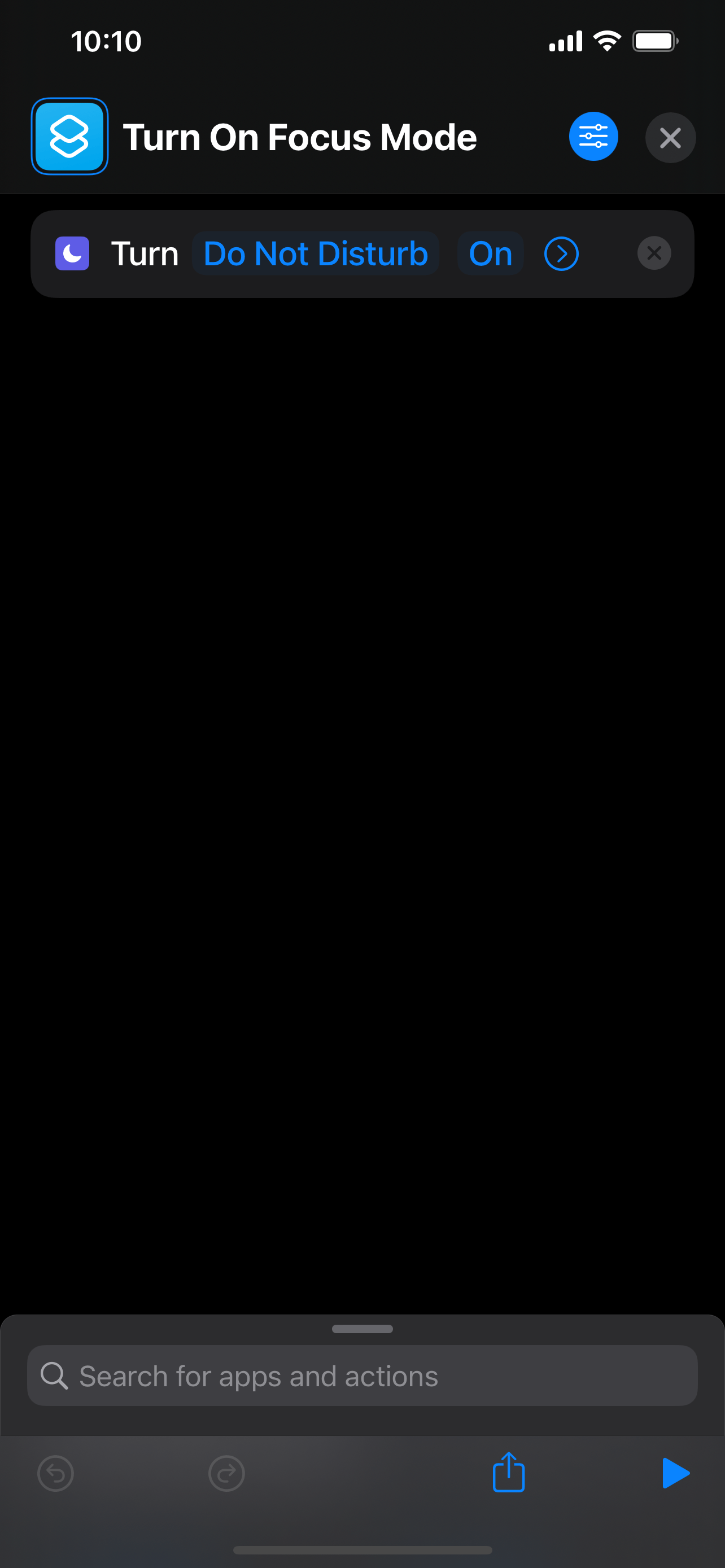
- Create a shortcut named “Turn On Focus Mode”.
- Add a “Set Focus” action, and configure it as follows:
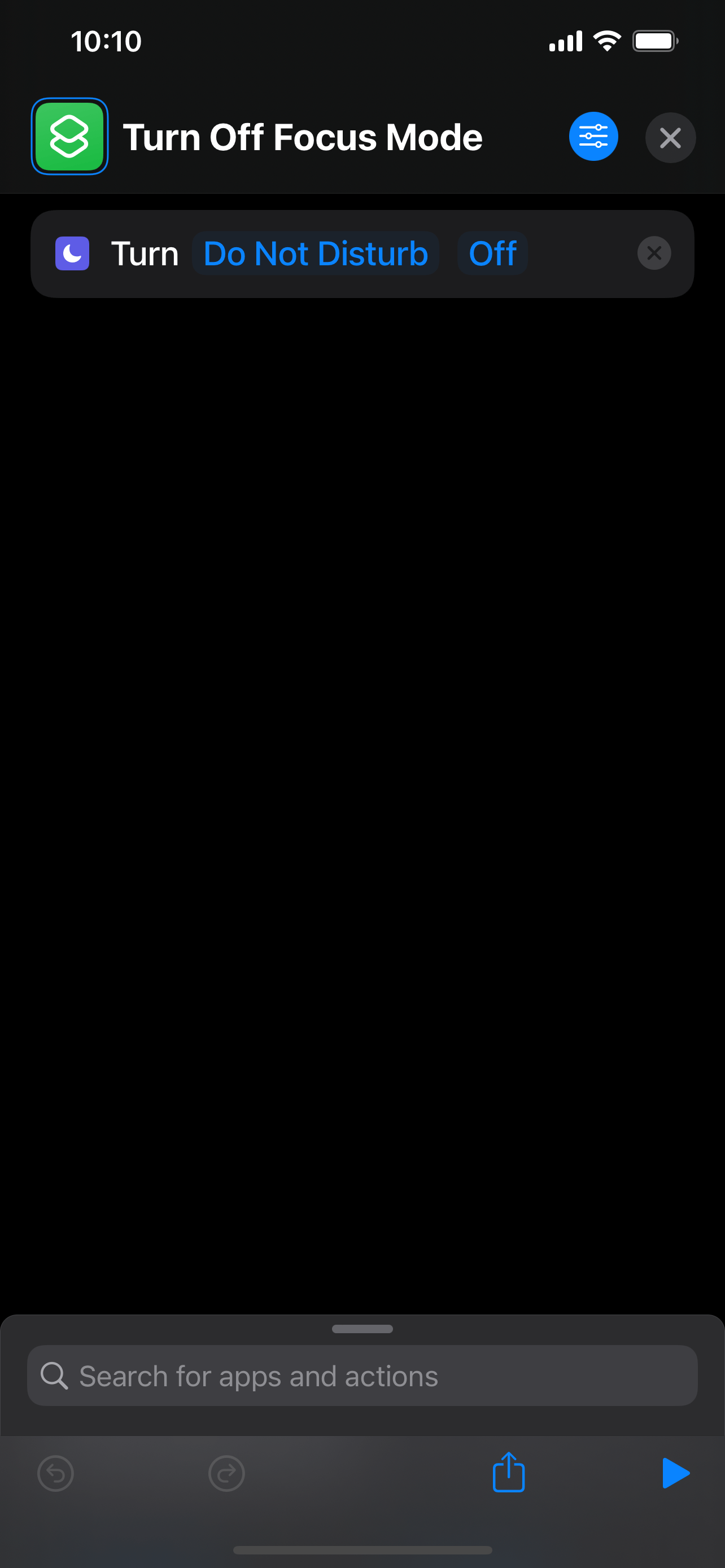
- Create another shortcut named “Turn Off Focus Mode” in a similar way:
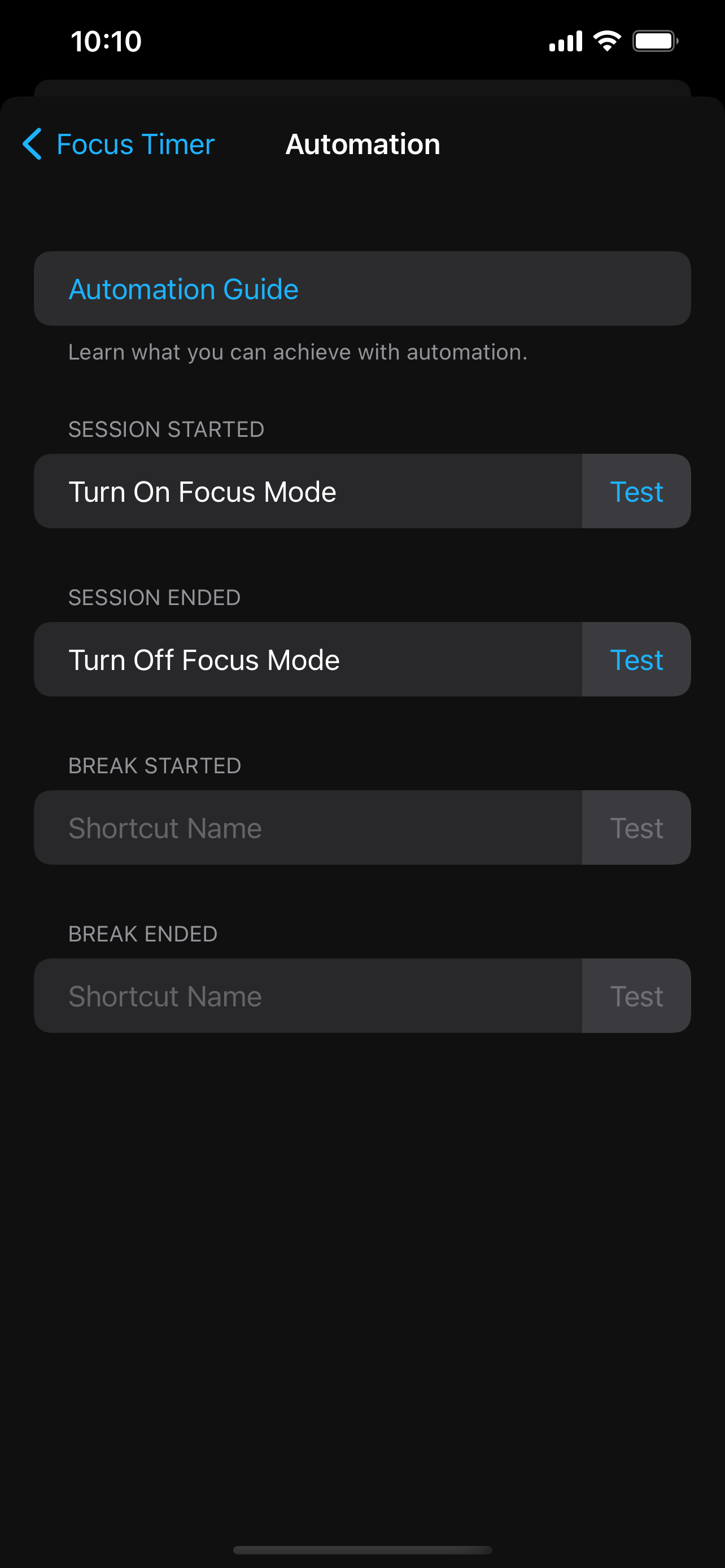
- Go back to Bluebird’s automation settings and fill in the names of the shortcuts you just created:
Other Common Uses
- Play different types of music depending on the current state.
- Change the colour of the lighting depending on the current state.